
For: Facility operations managers, dealer service managers and anyone responsible for a connected cardio or strength fleet.
The decision: Who approves gym equipment firmware updates, when they run, how versions are tracked, and what the manufacturer’s support lifecycle means for the fleet and for upgrade quotes.
60-second answer: Keep one register of every connected asset and its current version. Agree the update window and the rollback position with the manufacturer or dealer in writing. Where rollback is not available, stage updates on a few units before releasing the rest. And treat support status as an operating risk: ask for the manufacturer’s published end-of-life or end-of-support notice, and do not infer a date that has not been published.
Why version drift becomes a service cost
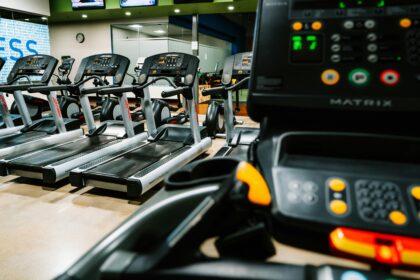
Many connected consoles can download and apply updates without anyone at the facility approving the change. Units that were unplugged, offline or in storage miss a release, and a floor of nominally identical machines ends up on several builds with different screens, network behavior and fault codes. The cost appears later: a technician who has to read a diagnostics screen on every unit, a warranty claim that stalls while the manufacturer asks which version was running, or a recall notice written against serial ranges that nobody can match quickly.
NIST’s guide to enterprise patch management, SP 800-40 Revision 4 (April 2022), frames patching as preventive maintenance for technology and an expected cost of operating. That framing fits fitness equipment well: firmware belongs in the maintenance calendar, with a named owner, not in a category nobody manages.
Keep one version register
One named person should hold a list of every connected asset. It does not need software; a spreadsheet survives a change of vendor better than any supplier dashboard.
- Model, serial number and location.
- Console firmware version and, where reported separately, motor or drive controller version.
- Date the version was last confirmed, and by whom.
- Network dependency: what stops working if the unit is offline.
- Manufacturer support status for the model, with the source document.
The same register makes recalls fast. When CPSC announced recall 26-203 on January 22, 2026, expanding a Johnson Health Tech recall to about 47,000 Matrix Retail and Vision treadmills, the notice listed specific models and serial numbers. A dealer or facility with a current register could identify affected units in an afternoon; the Matrix and Vision power-cord recall checklist covers the follow-up.
Agree the window and the rollback position
Ask three questions before the next update, and get the answers in writing from the manufacturer or dealer:
- Who controls the schedule? Can the facility or dealer set the update window, defer an update or release it in stages?
- Can a unit be returned to the previous version? By whom, how long it takes, and whether it needs a site visit.
- What happens if power or the connection drops mid-update? Follow the manufacturer’s instructions; on some systems an interrupted update can leave a console unusable until it is serviced.
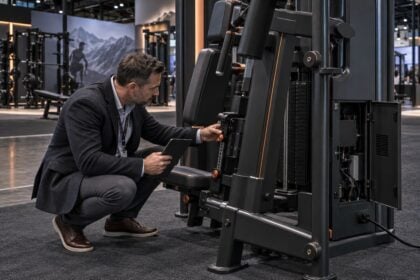
Where rollback is unavailable, staged deployment is the main protection: release the update to a small number of units, run them through normal use, then release the rest. Schedule updates outside opening hours and check every screen before opening on update mornings. Give floor staff one instruction, printed on the tag: do not restart a unit that is updating; log the time and tell the manager.
Sort updates by what they change
| Update type | What it changes | Exposure if deferred | Exposure if applied without review | Approver |
|---|---|---|---|---|
| Security patch | Network stack, credentials | A vulnerable device on a shared network | Usually limited; confirm with the vendor | Operations manager with whoever owns the network |
| Console software | Interface, apps | Apps or features stop working | Layout changes members and staff notice | Operations manager |
| Motor or drive controller | Speed, incline, braking behavior | Known faults persist | Feel or calibration changes | Service technician |
| Sensor or calibration | Heart rate, cadence, distance | Reported figures stay wrong | Historical data no longer comparable | Service technician |
| Connectivity module | Wi-Fi, account sync, streaming | Units drop off the network | Reconfiguration on every unit | Network owner |
| Content or feature release | Programs, partner services | Features expire | Features change or are removed; staff retraining | Owner, against the contract |
Disconnecting consoles entirely to avoid updates usually trades one problem for another: missed security patches and lost connected features. Control the window rather than the switch. Network and access questions are covered in the connected cardio security checklist.
Treat support lifecycle as operating risk
Every console and controller platform eventually stops receiving updates and technical support. Manufacturers that publish lifecycle policies define the stages differently, so read the actual notice. EGYM, for example, defines End-of-Life as a phase in which it provides technical support only for a limited time and with available resources, and End-of-Support as the point at which technical support stops completely. Its notice stated that machines produced before the end of 2016 without a freeFLOW sticker would enter End-of-Life from January 2025, and that shared wear parts such as upholstery and handles remained available.
Life Fitness has published discontinuation notices for older strength lines and states that, while it aims to support parts after a product leaves production, some parts may become unavailable over time. Those documents are the evidence. Without one, the support status of a model is unknown, not ended; ask the manufacturer for its position in writing.
Before quoting a console upgrade or retrofit
- Model, serial number and current versions from the register.
- The manufacturer’s written support status for the base unit and for the proposed console or kit.
- Confirmation that the upgrade is compatible with that serial range.
- Network requirements and what changes for accounts, data and integrations.
- The warranty effect, in writing, from the base unit’s manufacturer.
- Installation time, and whether the unit is out of use during it.
The hardware side of that decision is covered in the retrofit kit guide.
What to do this week
- Build or update the version register for every connected asset, with a named owner.
- Ask your manufacturer or dealer, in writing, who controls the update schedule and whether rollback exists.
- Request published end-of-life or end-of-support notices for every console platform on the floor.
- Print the “do not restart during update” instruction on the out-of-use tag.
- Schedule a quarterly version check in the maintenance calendar.
Continue with FEX
- Cardio availability: usable hours, not console uptime
- Equipment software fees: renewal, lapse and exit rights
- Connected equipment data: access and retention
FEX editorial guidance: the register fields, update-type table and quoting checklist are FEX analysis. They are not manufacturer specifications, contractual entitlements or industry benchmarks.
Source notes
- NIST SP 800-40 Rev. 4 (April 2022) — Patch management as preventive maintenance for technology.
- EGYM: EOL and EOS — Example lifecycle definitions and affected production range.
- Life Fitness: End of Production Product Service Part Support — Parts availability after production ends.
- CPSC recall 26-203 — Models, serial ranges and remedy.
Editorial update, October 8, 2026: Removed an unsupported claim about how often unmanaged fleets fail after updates and a general statement that console features have been removed from installed units. Qualified the effect of interrupting an update as manufacturer-specific. Added support-lifecycle guidance based on published manufacturer notices and a documentation checklist for upgrade quotes.